Settings
Settings
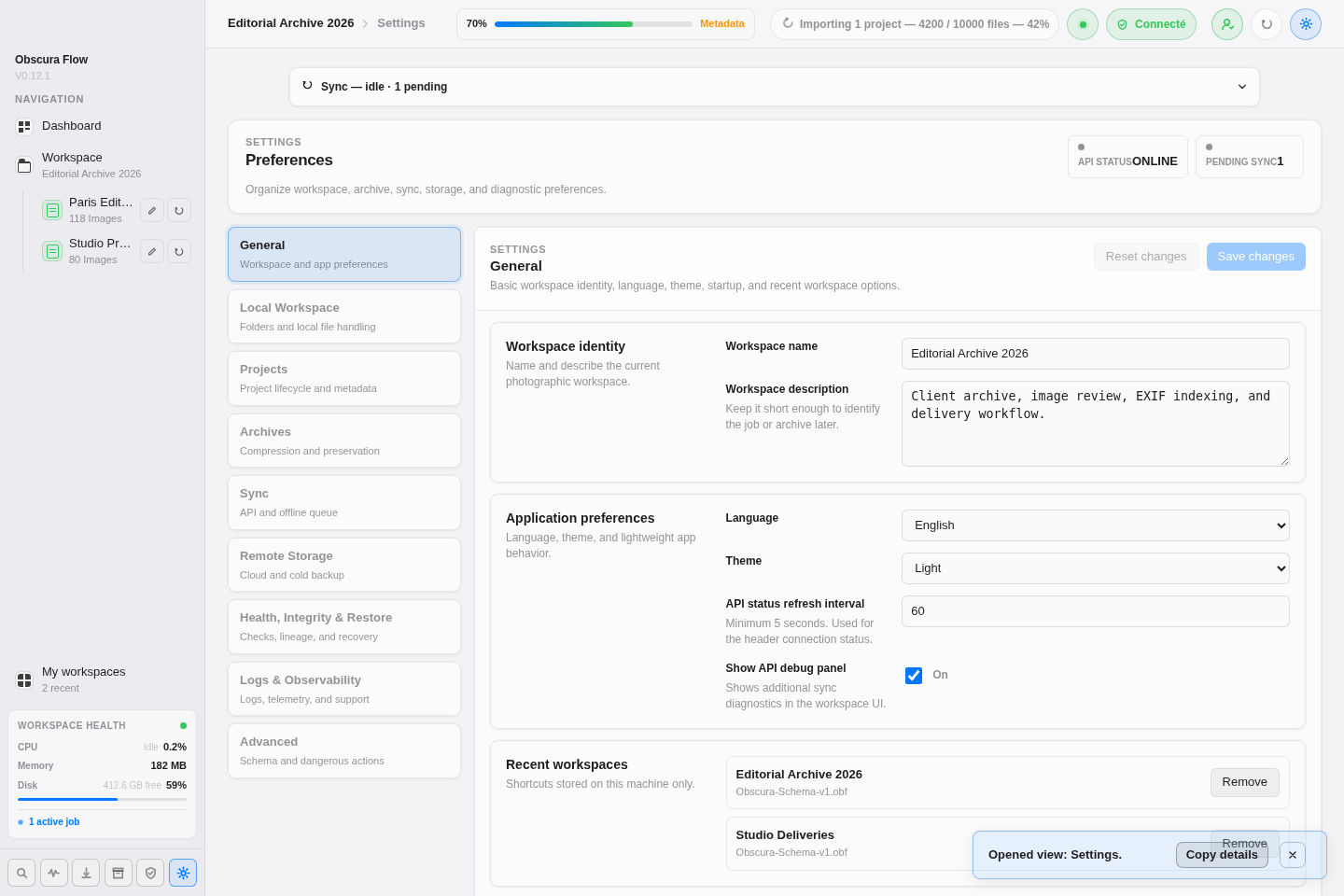
Section titled “Settings”The settings page is organized into business tabs with side navigation. Each tab keeps draft changes until you click Save changes.
Global actions are:
Save changesto validate the current tab and write the workspace;Reset changesto discard the current tab draft;- side tabs to switch category, with an
Unsavedbadge when a tab contains changes.
General
Section titled “General”Set the workspace name and description, interface language, system, light, or dark theme, API health polling, global API debug, and locally stored recent workspaces. Recent workspaces can be removed from the list without deleting .obf files.
Local Workspace
Section titled “Local Workspace”Configure local paths, the work folder, settings export folder, cache, previews, and logs. Path fields include a text input, Browse..., configuration state, and, when relevant, Reveal in Finder.
This tab also controls external folder import mode: copy, move, or reference, source structure preservation, duplicate detection, and expected workspace structure.
Projects
Section titled “Projects”Configure import rules, duplicate detection, EXIF scans, metadata JSON generation, ignored folders and files, archived project behavior, and controlled project data refresh.
Archives
Section titled “Archives”Configure the archive folder, engine, retention strategy, compression level, size and checksum validation, history, original-file behavior, and naming with live preview.
Available when a workspace is open. Configure API base URL, API synchronization, sync interval, online/offline mode, conflict strategy, and workspace API debug.
The tab shows API status, last sync time, pending operation count, Test API connection, and Run sync now.
Remote Storage
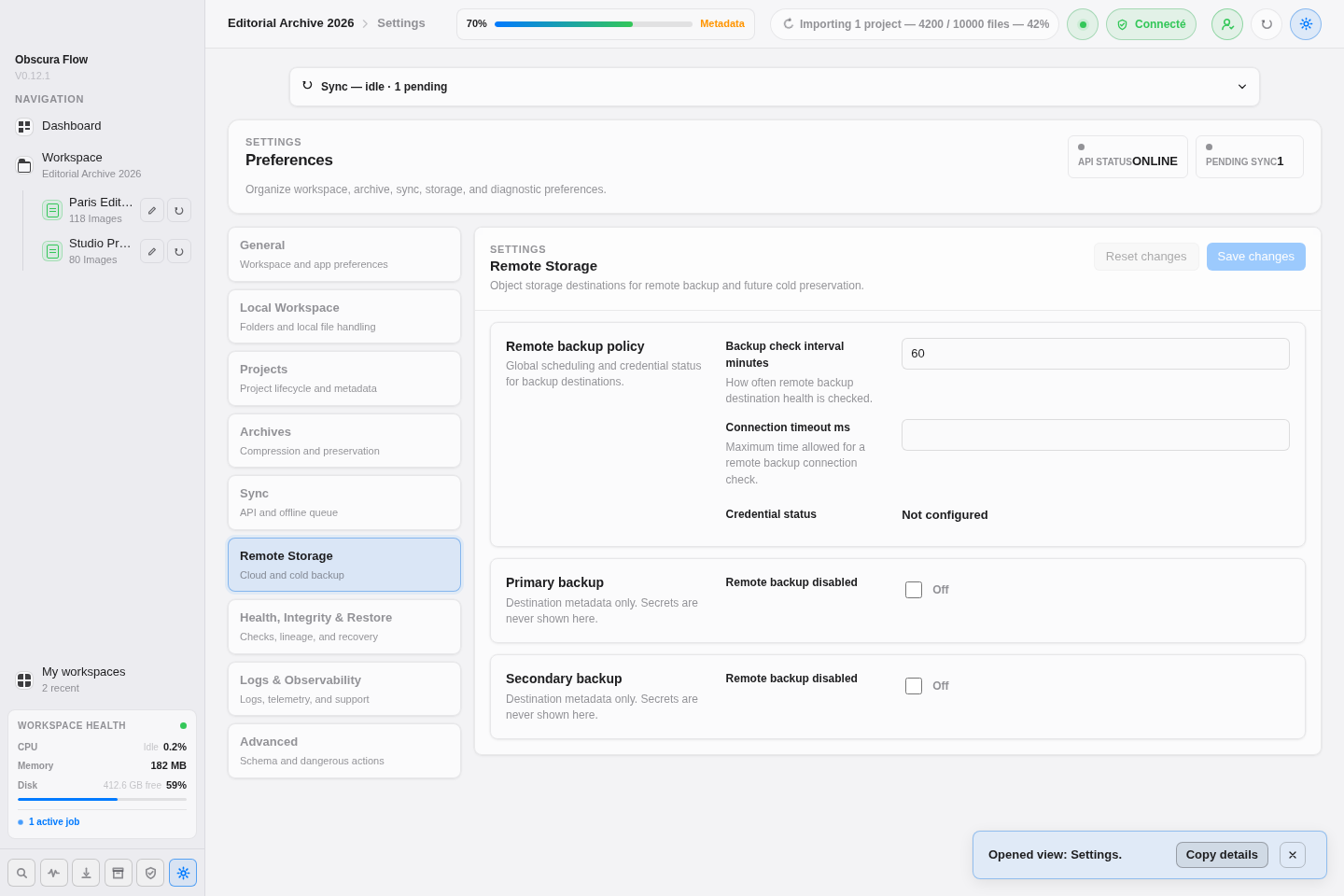
Section titled “Remote Storage”Configure primary and secondary remote backups: enablement, check interval, timeout, provider, bucket or container, region, endpoint, object prefix, archive destination, and credentials.
Covered providers: S3-compatible storage, GCS, OCI Object Storage, Azure Blob, NAS, and SFTP. Test connection verifies the enabled destination and updates header badges.
Logs & Observability
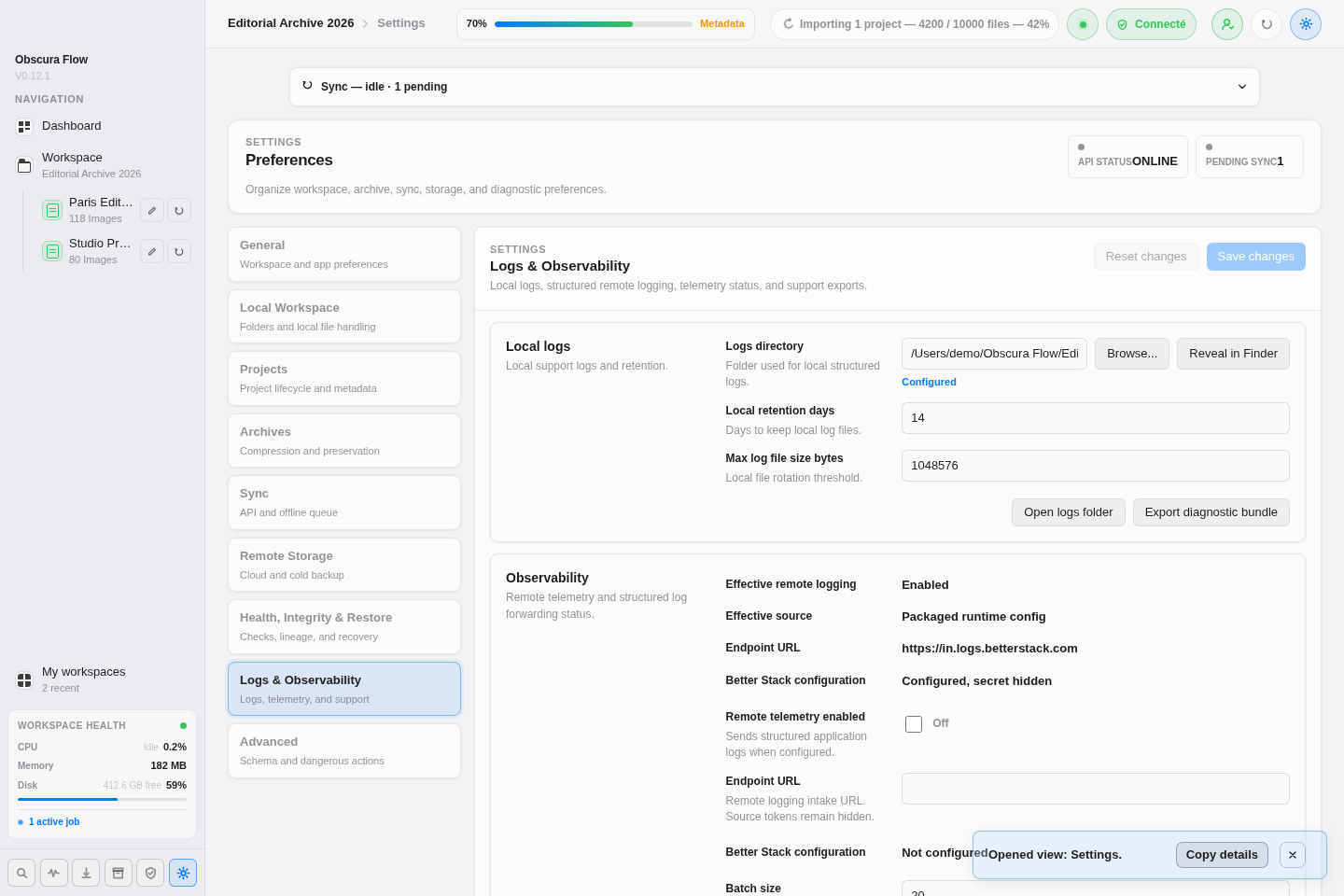
Section titled “Logs & Observability”Configure local log folder, opening the log folder, diagnostic export, retention, maximum log file size, remote telemetry, Better Stack status, batch size, and remote send interval.
Health, Integrity & Restore
Section titled “Health, Integrity & Restore”Configure workspace health checks, lineage retention, restore defaults, and checksum validation rules.
Advanced
Section titled “Advanced”Configure technical options: schema version, client ID, local resource refresh, raw workspace JSON preview, sync queue, and dangerous actions. Destructive actions require explicit confirmation.