Operations centers
Operations Centers
Section titled “Operations Centers”Operations centers group diagnostic, verification, restore, and observability screens. They are available from the command palette, macOS menus, and workspace views when a workspace is open.
Archive Center
Section titled “Archive Center”Archive Center shows local and remote archive packages. You can sort by date, project, status, or size, then review archive, package, local integrity, and remote integrity states.
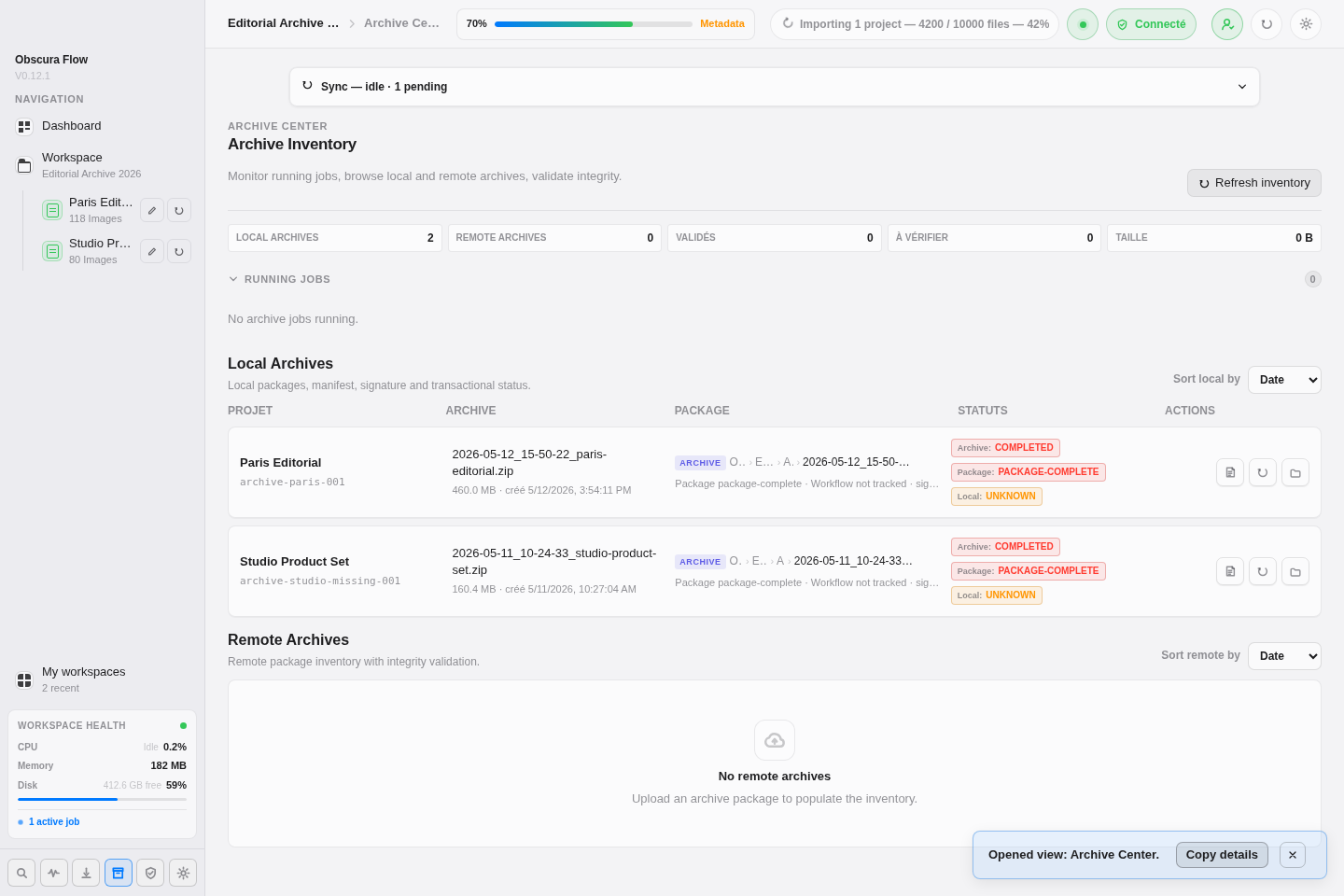
Available actions:
Refresh inventoryreloads local and remote inventory;View manifestopens the signed manifest;Open archive packageopens the local package;Validate remote integrityrechecks a remote copy;Download archive packageretrieves a remote package;Restore archiverestores from a remote copy;Open remote locationopens the destination when supported;Delete remote archive, then confirmation, deletes a remote package.
Health Center
Section titled “Health Center”Health Center checks workspace operational state: files, archives, previews, API, remote targets, and synchronization. Refresh scan updates the report. Metrics show global status, last scan date, and detected issues.
Integrity Center
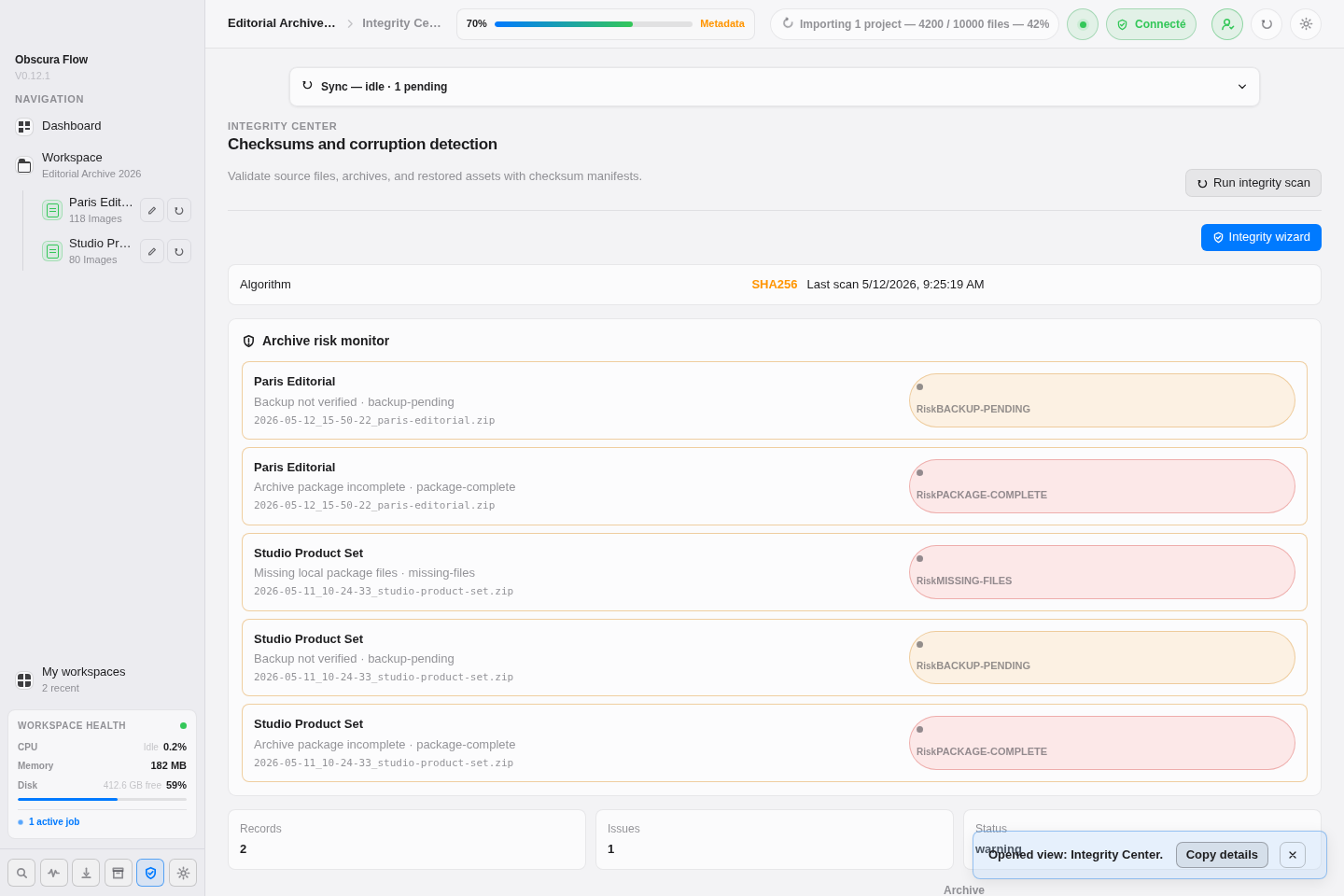
Section titled “Integrity Center”Integrity Center generates and validates workspace checksums. Run integrity scan creates or updates the integrity manifest. The screen shows records, issues, algorithms, and archive signature states.
Restore Center
Section titled “Restore Center”Restore Center simulates a restore before applying it. The form asks for the archive, target path, and conflict strategy: skip existing files, overwrite, or restore as copy. Simulate generates the report; Restore archive applies the restore after validation.
Data Lineage
Section titled “Data Lineage”Data Lineage traces lifecycle events: imports, archives, synchronization, restores, and integrity checks. Type and Status filters isolate relevant events. History purge actions require explicit confirmation.
Import Center
Section titled “Import Center”Import Center shows import session status, progress, final result, and warnings. After an import, the report details imported files, skipped system files, safe cross-volume transfers, possible duplicates, and folders with leading or trailing spaces.
Warnings do not delete duplicates or rename folders. They provide affected paths, available checksums, and suggested actions so the user can decide what to keep or correct.
The Logs view shows local JSONL logs. It provides:
Refreshto reread logs;Clear, then confirmation, to delete local logs;- a category filter;
- full-text search;
- a copy button for each event;
- an expand button when an event contains JSON details.
Logs cover API state, synchronization errors, resource alerts, import actions, archive actions, remote verification, diagnostic errors, and archive-related events.